
In 1997, we entered the office furniture industry with a vision of combining quality and aesthetics. Since the founding of Casella Office Furniture, we have been making a difference in the industry with ergonomic and stylish furniture that adds value to workspaces. With our expert team and innovative approach, we are committed to providing customized solutions for businesses of all sizes.

- Office & HoReCa Furniture
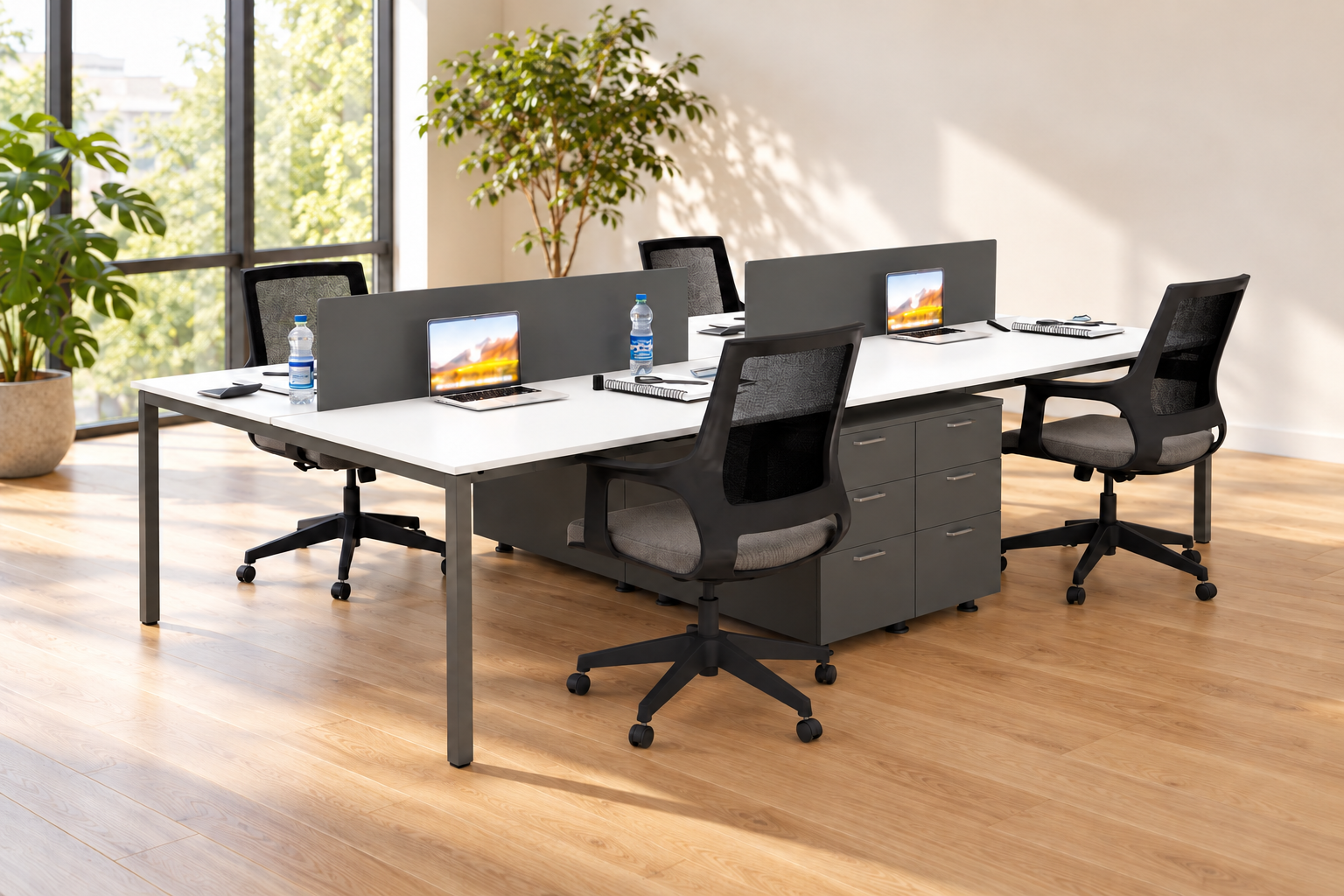
Office Workstations for 2, 4 or 6 People: How to Choose the Right Layout
When choosing office furniture for a team, headcount is a starting point. How people work matters just as much: the equipment they use, how often they collaborate and whether they need quiet time to concentrate.
Office workstations bring several desk spaces together in one arrangement. The right configuration should provide enough room for each user, easy access to every seat and a practical way to organise equipment.
This guide explains when to consider a workstation for two, four or six people and what to check before ordering.
Start with the needs of each desk user
Before choosing a model, list the equipment each employee uses. A laptop and notebook require a different setup from two monitors, a keyboard and paperwork that needs to stay within reach.
Include:
- the number and size of monitors;
- space for a keyboard, mouse and writing;
- documents and supplies used every day;
- individual drawers or shared storage;
- power and network connection locations;
- the frequency of phone and video calls.
Use this information to assess the usable desk space each person needs. The overall dimensions of a workstation do not, on their own, tell you how much room each user will have.
A 2-person workstation: a shared setup for a smaller team
A 2-person workstation can suit an office shared by two colleagues, a dedicated area within a larger room or a team that is beginning to grow.
This configuration allows you to plan two desk spaces together. Check how it fits in relation to doors, windows and cupboards. In a small room, a drawer unit or an opening door can make a significant difference to the layout.
The Vega 2-person workstation is one example from the Casella range. Before ordering, check that the selected configuration accommodates both users’ equipment and fits the available space.
If you expect to hire more people, consider where additional desks would go. Confirm whether the particular workstation can be extended before making your decision.
A 4-person workstation: bringing a team together
A 4-person workstation can be a practical option for colleagues who regularly exchange information and want a connected desk arrangement.
The Vega 4-person workstation offers one example of this layout. When planning its position, check access to every seat and the location of shared equipment, such as printers and document storage.
For four employees, it is also worth comparing two smaller workstations. One larger unit may suit an open room, while two separate arrangements may work better around columns, alcoves or different working routines.
If two colleagues spend much of the day on calls while the others need sustained concentration, account for that difference in your seating plan.
A 6-person workstation: plan circulation around the whole unit
With a 6-person workstation, consider the office as a whole. Every user needs access to their desk, and the layout must work when chairs are occupied or pulled away from the work surfaces.
The Ear 6-person workstation is one option for a larger shared working area.
Before choosing, draw an alternative layout using a four-person and a two-person workstation, or three smaller units. Compare the space left for circulation, storage and other activities. The most suitable arrangement depends on the room’s shape and the team’s working habits.
One larger workstation or several smaller units?
| Your office requirement | What to consider |
|---|---|
| Colleagues frequently work on shared tasks | A connected arrangement that supports direct communication |
| Teams have different working routines | Several smaller, separate working areas |
| The room has columns, alcoves or multiple doors | Smaller units that can be positioned around obstacles |
| You expect the team to grow | Space for additional desks and confirmed options for expansion |
| Employees make frequent calls | A separate call area alongside a suitable desk layout |
Do not assume that every workstation can be extended or connected to another model. Check the available components and compatibility of the specific configuration.
What should you measure before buying?
Alongside the room’s length and width, mark door positions and opening directions, windows, radiators, columns and power outlets. Include existing cabinets and the space needed to use them.
Then check:
- the complete workstation dimensions and usable desktop space per person;
- desktop height separately from the overall height including screens;
- legroom and drawer unit positions;
- space for moving chairs and walking past;
- routes for power and network cables.
A useful step is to mark the proposed workstation outline on the floor with tape. Position chairs around it and test everyday routes from the entrance to desks, storage and shared equipment.
Screens, storage and cables: details that shape daily use
A desk screen can provide visual separation between workspaces. Its presence does not automatically mean it has acoustic properties. If reducing noise is a priority, request information about the specific product and consider how calls will be accommodated elsewhere in the office.
Choose individual drawer units or shared cabinets according to what employees actually use. Check that additional storage does not restrict legroom.
For cable management, identify connection points and plan how equipment will reach them. Confirm whether power modules and cable channels are included in the quotation or need to be ordered separately.
Frequently asked questions about office workstations
Are chairs and drawer units included?
This depends on the model. Request a list of included components before purchasing, particularly when product photographs show a fully furnished office setup.
Is a larger workstation always better for a larger team?
Not necessarily. Several smaller units may suit six employees better if the room’s shape or working routines call for separate areas.
How do I choose between a four-person and a six-person workstation?
Start with the number of people working in the office at the same time, their equipment and the available space. If you expect the team to grow, check your options for adding desks later.
Find the right workstation for your team
A suitable workstation starts with a clear understanding of the space and the people using it. Send us your team size, office dimensions or floor plan, and details of the equipment you need to accommodate.
Contact Casella for workstation suggestions and an itemised quotation covering the selected configuration and accessories.
Contact
- Tel
- +381 66 8117989
- info@casella.rs
- Address
- Bulevar heroja sa Košara 8a, 11070 Novi Beograd